![WINWON (Standard).png]](https://knowledgebasefaqs.winwontech.com/hs-fs/hubfs/WINWON%20(Standard).png?height=40&name=WINWON%20(Standard).png)
1. Enter Key Dates Early
Set Regular Season and Championship Dates as soon as they are known.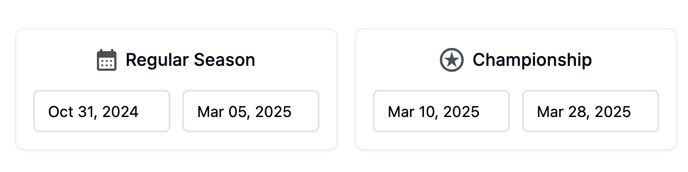
2. Use Notes for Shared Guidance
Admins: Use the top note box to communicate seasonal rules, deadlines, or compliance reminders to all teams.

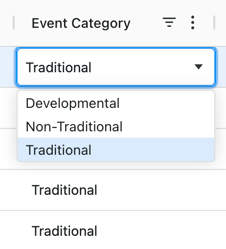
3. Categorize Events Correctly (NCAA)
-
Traditional vs. Non-Traditional vs. Developmental must be accurate for compliance.
-
Encourage coaches to set the category at event creation.
4. Monitor Off Days Weekly
-
Toggle on Show Off Days regularly.
-
☑️ Gray = compliance; ⚠️ Yellow = violation risk.
-
Review weekly, not just end of season.
5. Add Notes to Events
Use the Time Tracking Notes column to clarify special situations (e.g., canceled due to weather, joint practice).
6. Export for Record-Keeping
Export to Excel/CSV for reporting and backup.
7. Review Across Teams
Admins should review compliance trends across all teams, especially during midseason, to prevent last-minute issues.
👉 Together, these practices ensure WinWon’s Time Tracking tool keeps your teams compliant, transparent, and prepared for audits or eligibility reviews.