![WINWON (Standard).png]](https://knowledgebasefaqs.winwontech.com/hs-fs/hubfs/WINWON%20(Standard).png?height=40&name=WINWON%20(Standard).png)
Who Has Access to Medical Eligibility?
- Only users with Medical Administrator permissions can access Medical Eligibility.
- Medical permissions are typically assigned to Athletic Training staff and allow them to view
 and update medical eligibility records.
 - Permissions for Medical, Academic, Onboarding, and Participation eligibility are managed independently. If you do not see the Medical Eligibility section in your eligibility center, you do not have this permission.
- Learn more about Settings and Permissions.

Accessing Medical Eligibility
-
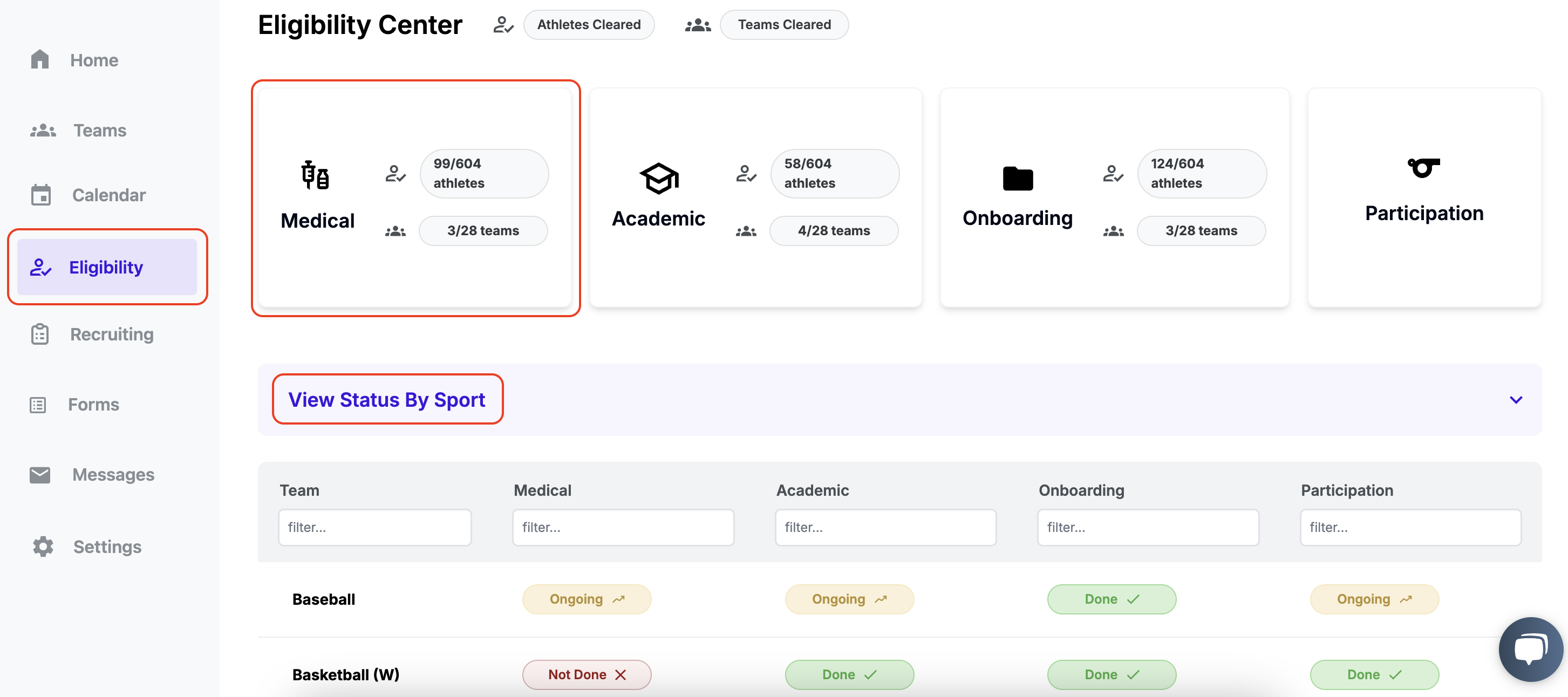
Navigate to Eligibility in the side panel.
-
On the Medical card:
- View a summary of total eligible athletes and teams.
- Below, toggle View Status by Sport to see review statuses for each team.
-
Click the Medical card and then on a specific Team card to manage its eligibility.

Navigating the Team Medical Eligibility Table
Each team’s Medical Eligibility page includes:
- Select Team: Allows users to quickly navigate between teams.

-
Header Banner: Displays the academic year, roster status, eligible athletes count, and medical review status.

- Roster Status: Indicates if a coach has confirmed the team roster. This ensures eligibility reviews are only performed on confirmed rosters. Learn more about Confirming Rosters.


-
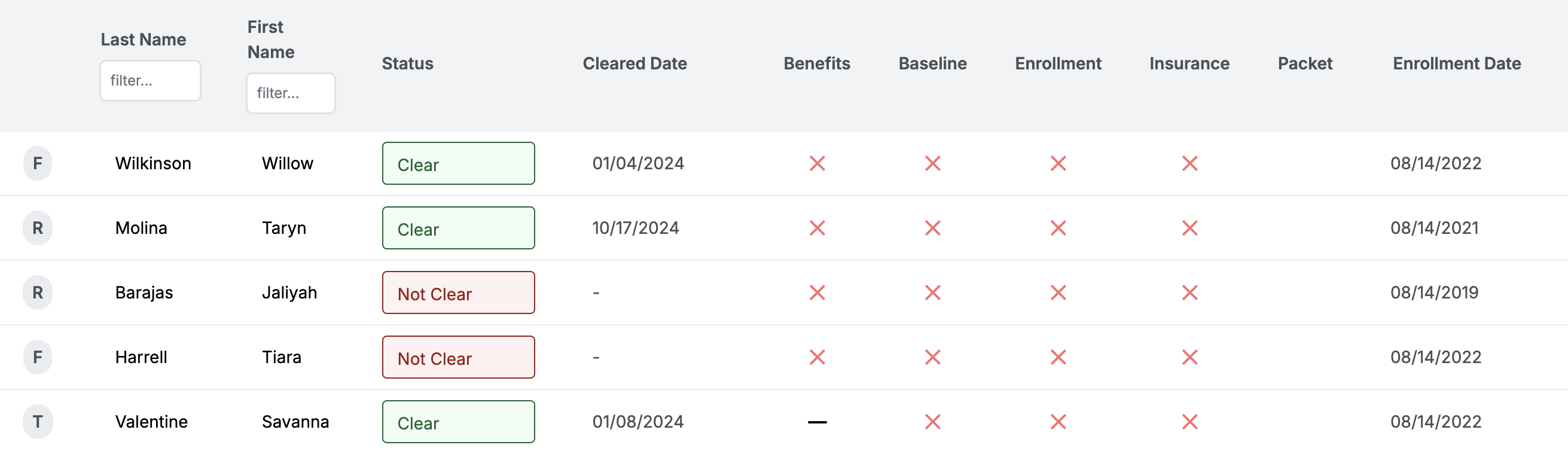
Customizable Table:
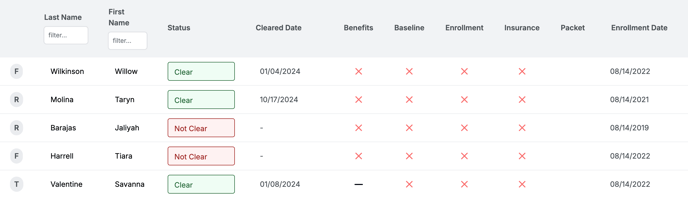
- Checklist items in the table align with your institution’s specific medical eligibility requirements. Contact WinWon Support to update these requirements.
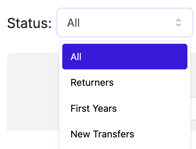
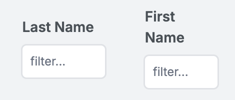
- Use filters to organize data:
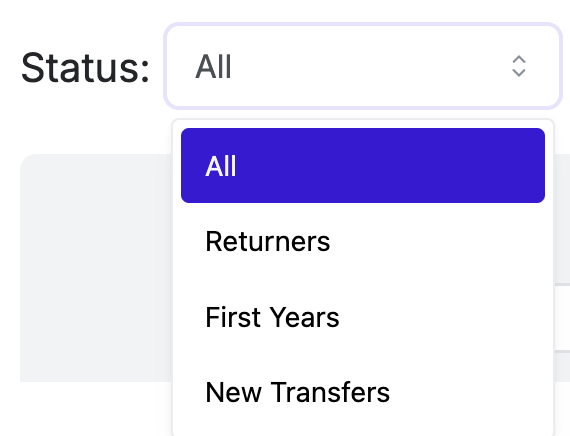
- Status bar: Filter by first-year, returning, or transfer athletes.
- Column filters: Filter by first or last name.
- Sort columns by clicking the column header.
- View individual athlete notes by selecting the note icon in the Notes column.
⚠️ Important: Notes in WinWon are NOT HIPAA-compliant. Avoid storing or communicating HIPAA-protected information via this feature.
Editing Medical Eligibility

- Enter Edit Mode: Click the Edit button in the upper-right corner of the page.
- Update Checklist Items:
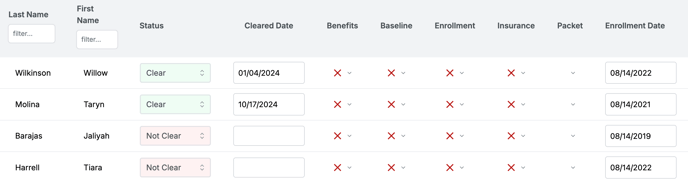
- Click on individual cells to edit values.
- Use the far-left column to bulk update multiple athletes.
- Save Changes: Click the Save Changes button at the top, or select Discard to revert edits.
- Update Team-Level Review Status: Adjust review status as necessary while in edit mode.

Understanding Coach Visibility
Coaches can see a view-only version of medical eligibility for their athletes through their profiles. Learn more about what coaches see in the Student Athlete Profile.
By centralizing and streamlining medical eligibility management, WinWon helps ensure your teams are prepared and compliant for the upcoming season. For assistance with configuring your Medical Eligibility table or other questions, reach out to your WinWon contact or Support team.