![WINWON (Standard).png]](https://knowledgebasefaqs.winwontech.com/hs-fs/hubfs/WINWON%20(Standard).png?height=40&name=WINWON%20(Standard).png)
When adding athletes to your roster, you have two ways to search:
1. Search by Student ID
-
From your team page, go to Manage Roster.

- Next, select Add Athlete

-
Enter the exact student ID into the search bar.
-
The matching student record will appear.
-
This is the most precise way to find the correct student.
2. Search by Student Name
To search using a student athlete's name, follow the below instructions:- From your team page, go to Manage Roster.
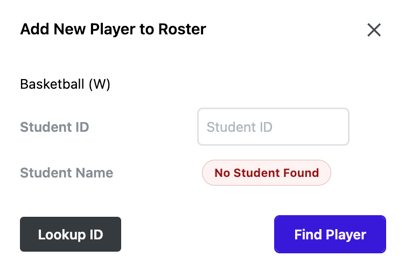
- Next, select Add Athlete
-
Click the Lookup ID button.
-
You’ll see text that says “Find Student ID
-
by Name.”
-
Type in a partial name. Please note: the search uses the student’s full legal name.
-
When the correct student appears, select them and add them to your roster.

Tips
-
If multiple students share a name, use Student ID to confirm the right match.
-
Name search supports partial entries, but accuracy improves the more of the name you enter.
- If you do not see the athlete you would like to add, details and instructions will appear.