![WINWON (Standard).png]](https://knowledgebasefaqs.winwontech.com/hs-fs/hubfs/WINWON%20(Standard).png?height=40&name=WINWON%20(Standard).png)
WinWon supports high-impact notification types so the right people get the right information at the right time. All notifications are sent from notifications@winwontech.com
Notification Types
1) Pending Events (Calendar Admins / Event Request Approvers)

What it is: A daily digest email listing all event requests waiting for approval.
Who gets it: Calendar Administrators or anyone who reviews the Event Request
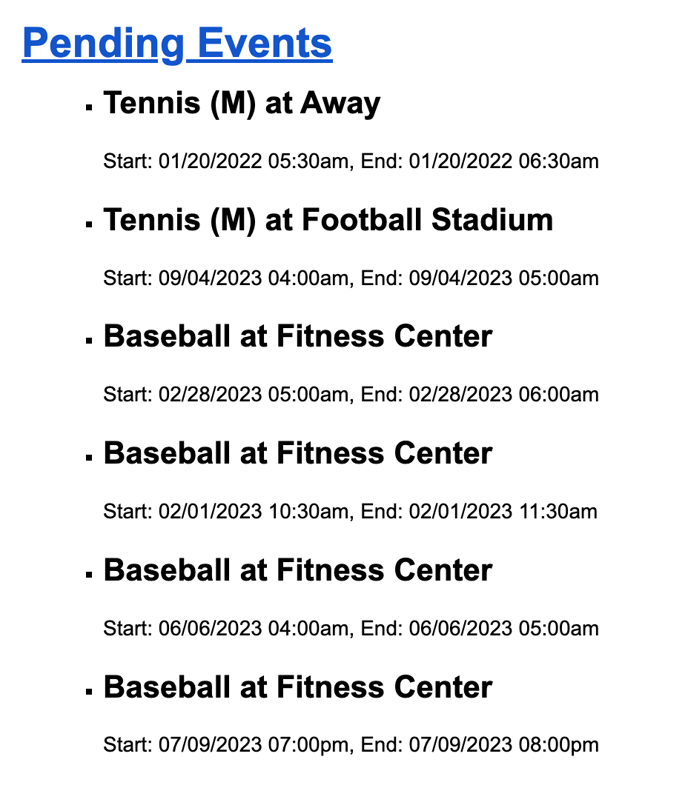
queue.
When it sends: Every morning (daily). No email is sent if there are zero pending
events.
What you’ll see:
-
Subject: Count of pending events (e.g., “WinWon University has 17 pending events”).
-
Body: A list of the specific events awaiting review.
How to enable: Email help@winwontech.com with the list of users to receive the digest.
2) Roster Add/Remove Notifications (Department Admins / Compliance / AT
What it is: Real-time emails when a student is added to or removed from any roster in your department.
Who gets it: Administrators, compliance officers, athletic trainers, or anyone who needs live roster visibility.
When it sends: Immediately upon add/remove.
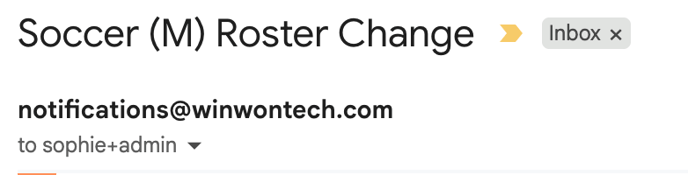
What you’ll see:
-
Subject: Team with the roster change (e.g., “Soccer (M) Roster Change”).

-
Body: Student name, ID number, and the removal reason.
How to enable: Email help@winwontech.com with the list of users to receive these alerts.
3) Recruiting Questionnaire Submission Notifications (Coaching Staff)
What it is: Real-time alerts whenever a new recruiting questionnaire is submitted for your team.Who gets it: Coaching staff for the team associated with the questionnaire.
When it sends: Immediately after a questionnaire is submitted.What you’ll see:
-
Subject: New submission to review.
-
Body: Submission information and where to review it.
How to enable: Email help@winwontech.com to turn on these alerts for your department.
Setup & Management
-
Add/Remove recipients: Send your request to help@winwontech.com. Include full name, role, and email, plus the notification type(s) you'd like setup.
-
Scope: You can enable a single notification type (e.g., just Roster updates) or multiple.
-
Delivery address: Make sure your email system allows messages from notifications@winwontech.com.
FAQs
Q: I didn’t get today’s Pending Events email.
A: If there were no pending events, no digest is sent. Also check spam and confirm your address is on the recipient list.
Q: Can coaches receive roster change notifications?
A: These are intended for administrators/compliance/AT as they apply to all rosters across the department.
Q: Where do I review recruiting questionnaire submissions?
A: Use Forms > Form Tracker to view questionnaire completion and results, or open the recruit profile to see responses.
Q: Can I pause or unsubscribe from a notification?
A: Yes—email help@winwontech.com indicating which notification(s) to remove.
Best Practices
-
Route by role:
-
Pending Events: Calendar Admins / approvers only.
-
Roster Changes: Admin/Compliance/AT for department-wide visibility.
-
Recruiting Submissions: Coaching staff for each team.
-
-
Keep lists current: Update recipients at term/season changes or when staff turnover occurs.
-
Whitelist the sender: Add notifications@winwontech.com to your safe senders list.