![WINWON (Standard).png]](https://knowledgebasefaqs.winwontech.com/hs-fs/hubfs/WINWON%20(Standard).png?height=40&name=WINWON%20(Standard).png)
Overview
Tracking athlete participation in the WinWon Calendar is simple and effective. This feature allows coaches to:
- Monitor athlete involvement in competitions.
- Maintain accurate records for compliance.
- Collaborate with administrators using detailed participation data.
For additional administrative tools related to participation tracking, click here.
Adding Invitees for Competitions
When you Create and Manage Events on the WinWon Calendar:
- Select Competition as the event type.
- You will have the option to invite:
- The full team.
- Specific groups.
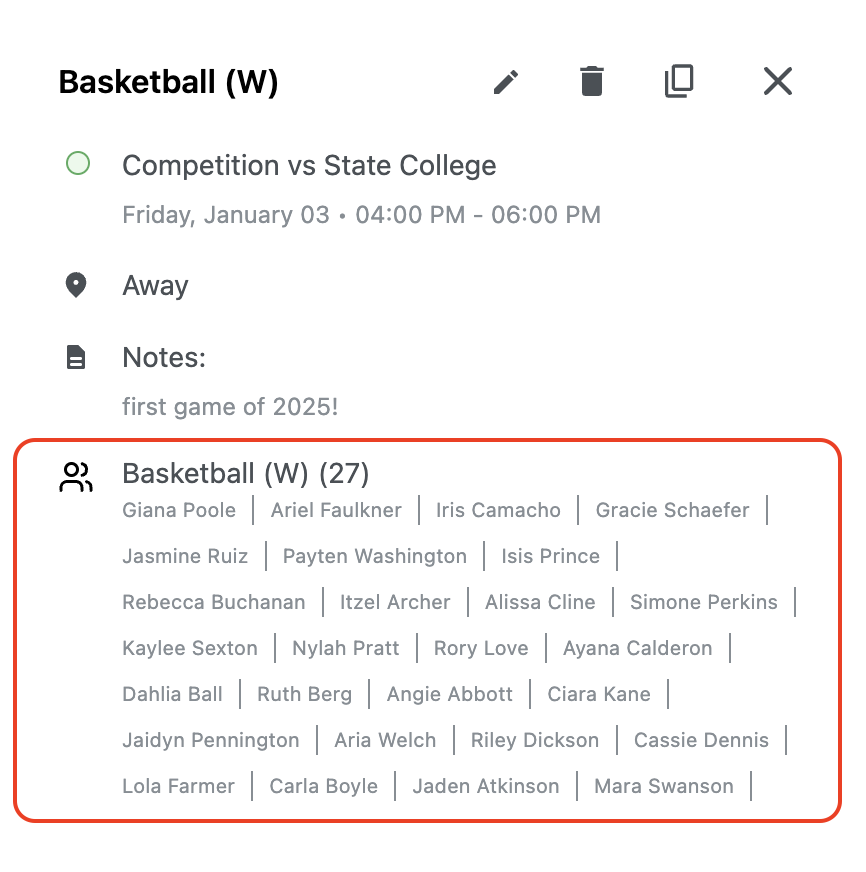
While the competition is still a future event, you will see a list of invitees, reflecting those scheduled to participate as shown below:
Tracking Participation for Past Competitions
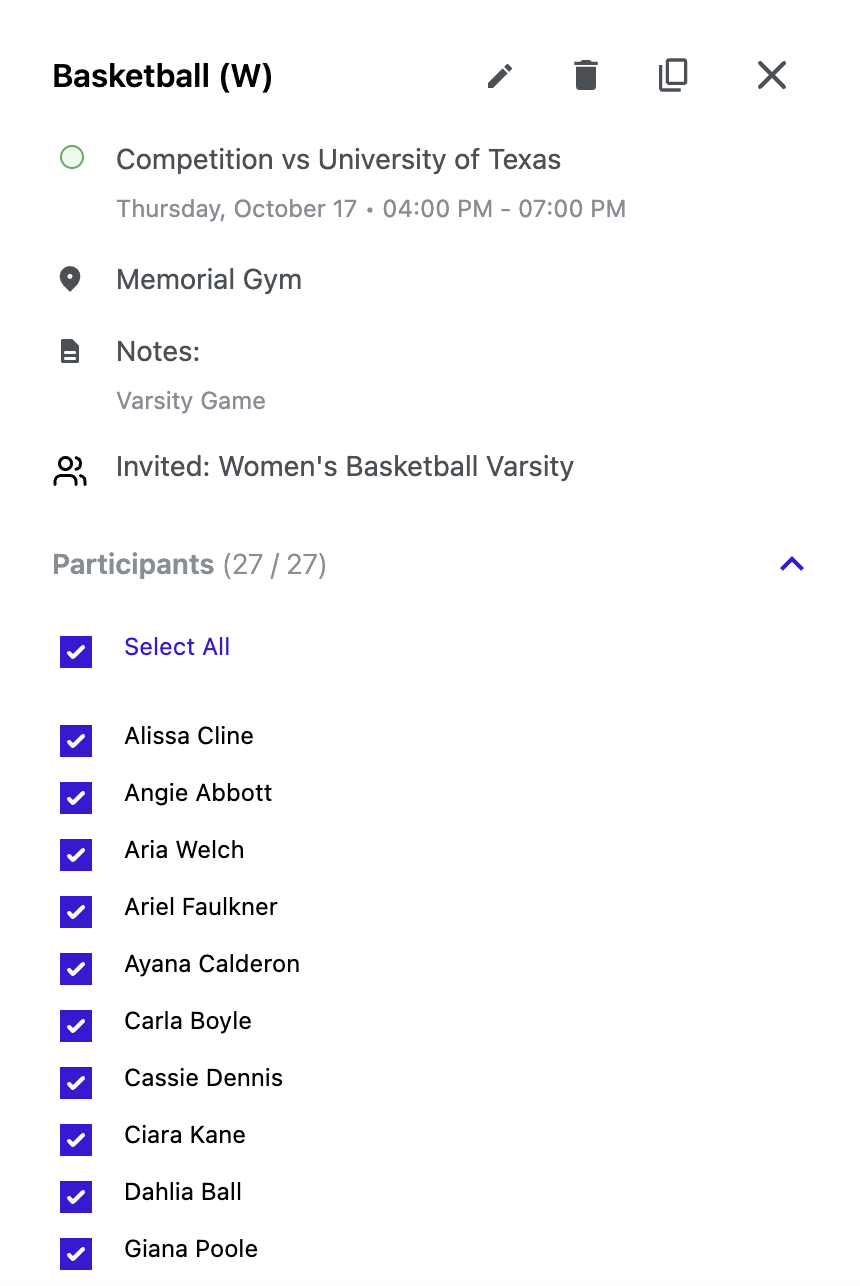
Once the competition event date has passed, the invitee list will update to a participants list, allowing you to mark actual participation for the event:
- Open the past competition event in the calendar.
- View the participants list.
- Select all athletes who competed in the event by checking their names.
- Click Save to log the participation records for each athlete.
Viewing Participation Data
Participation records are automatically saved and accessible:
- Visit an athlete's Student Profile to view their individual participation history.
- For more details on navigating student profiles and accessing participation data, click here.
Tip: Regularly updating participation data ensures accuracy and helps streamline compliance tracking for your team!